
Download Alternate File Move – File Transfer, Folder Sync, File Copy, File Management, Productivity Tool
Overview
Alternate File Move is a streamlined productivity tool designed to simplify the process of transferring and managing files between folders on Android devices. The app addresses a common pain point for users who frequently need to copy, sync, or organize digital content across directories. Whether managing media libraries, backing up documents, or preparing files for sharing, the app offers a focused solution for efficient file handling.
Its primary purpose is to reduce the number of steps required to move or copy files, minimizing user effort and potential errors. Target users include individuals managing personal media collections, professionals handling document workflows, and tech-savvy users who value automation and control in file operations. The developer, Ryan J.
Boudreaux, has crafted a tool that prioritizes functionality and usability without unnecessary complexity. While no additional background on the developer is available, the app’s clear purpose and feature set suggest a practical, user-centered approach. Real-world use cases include syncing photos from a downloads folder to a backup directory, transferring project files between work and personal folders, or consolidating media files across devices.
In the broader app ecosystem, Alternate File Move fills a niche for lightweight, no-frills file utilities that operate efficiently without requiring extensive permissions or cloud integration.
Key Features & Functionality
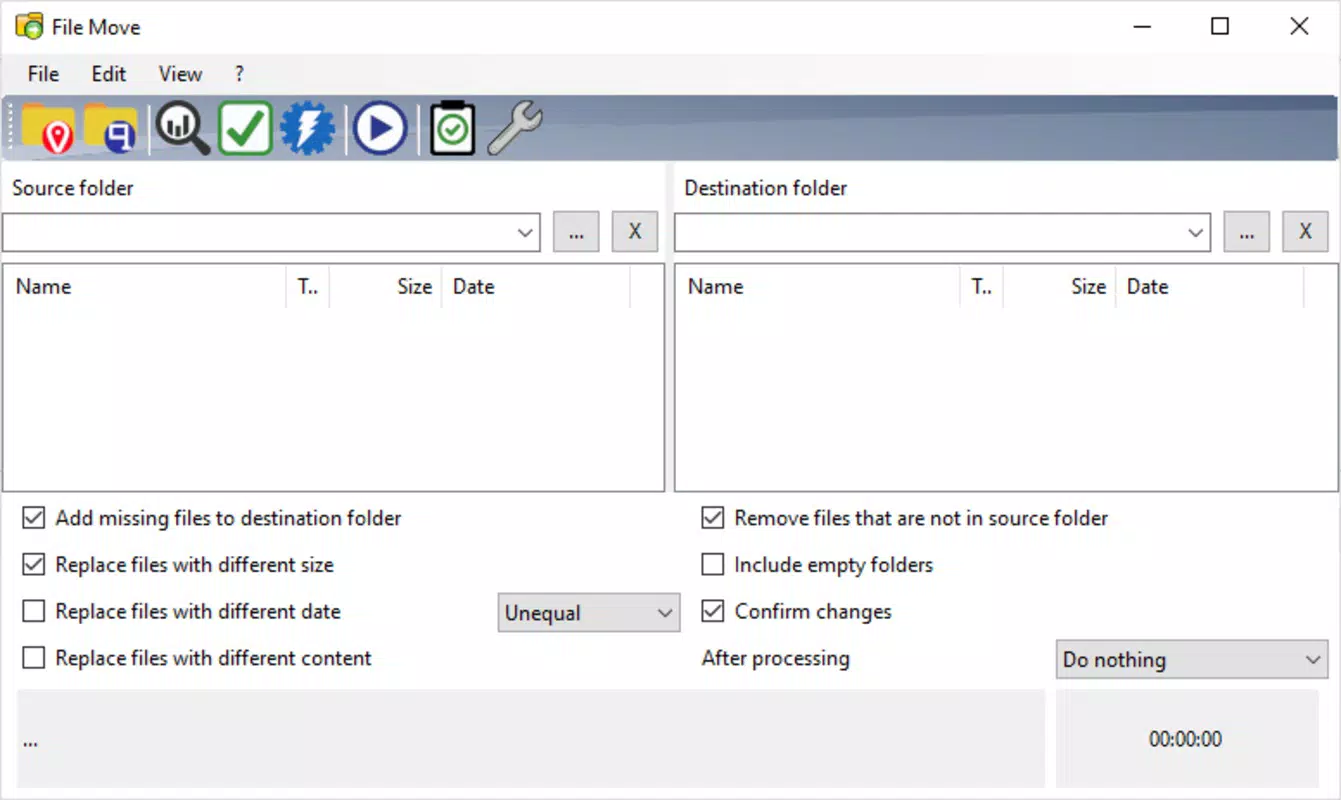
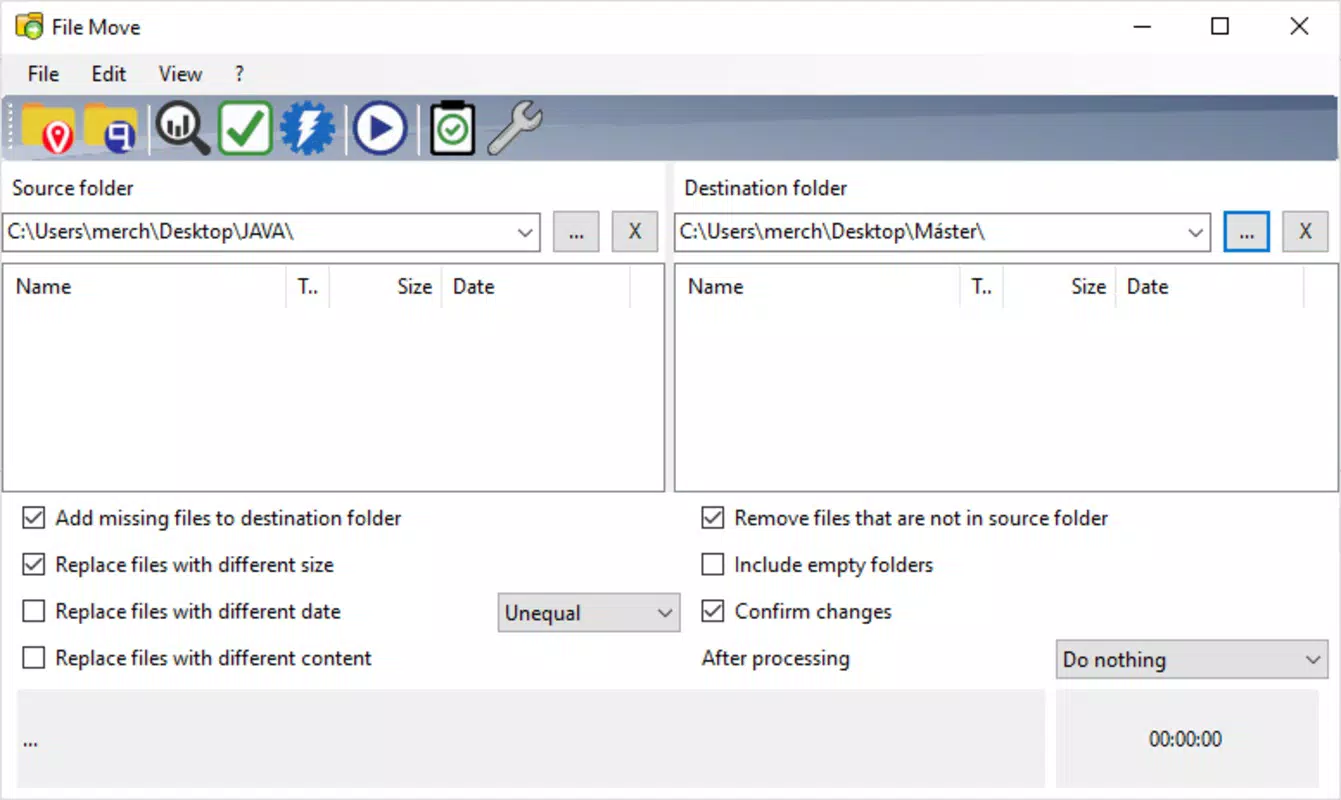
- Intuitive Folder Selection: Users can quickly select both source and destination folders through a clean, accessible interface. This eliminates the need for multiple navigation steps, enabling rapid setup of copy or sync tasks. For example, a user can select a “Downloads” folder as the source and a “Backup” folder on an external SD card as the destination in under 10 seconds.
- Comprehensive File Comparison: The app compares files based on size, date, and content, allowing users to identify duplicates or outdated versions. This feature is especially useful when syncing folders across devices or preparing files for archiving, ensuring only relevant content is transferred.
- Customizable File Replacement: Users can define rules for replacing files—such as replacing only newer files or skipping older ones—automating repetitive tasks. This is ideal for users who regularly update project folders or maintain versioned document sets.
- Integrated File Management: Within the app, users can delete unwanted files or create new folders directly, reducing the need to switch between apps. For instance, a user can create a new “Q3 Reports” folder during a sync operation without leaving the interface.
- Visual Overview of Actions: A real-time visual summary displays all pending operations, including file counts and transfer progress. This transparency enhances user confidence, particularly when handling large volumes of data, and helps prevent accidental data loss.
Interface, UX & Performance
The app presents a minimalist interface with clear visual hierarchy, prioritizing core functions without clutter. Navigation is linear and predictable, guiding users through selection, comparison, and execution steps with minimal friction. The visual design emphasizes functionality over aesthetics, using simple icons and labeled buttons to support intuitive use.
Although the developer did not list formal performance metrics, the app’s lightweight size of 5.2 MB suggests optimized resource usage. It is expected to run efficiently on a wide range of Android devices, including entry-level models, without significant lag or memory strain. Responsiveness appears consistent across different screen sizes, though specific testing across device categories was not disclosed.
Stability is implied by the app’s focused feature set and absence of complex integrations. The absence of background processes or persistent notifications contributes to a clean user experience. Overall, the UX design reflects a mature understanding of user workflows, minimizing cognitive load while maximizing control.
Platform Compatibility & Technical Requirements
Alternate File Move is available exclusively on the Android platform. The current version is 1.0.0, with a file size of 5.2 MB. The developer did not specify minimum OS requirements, nor did they list compatibility details for specific device models or screen resolutions.
This lack of detail means users should ensure their device supports the latest Android updates to avoid potential installation issues. The app is distributed as a free download, making it accessible to a broad audience without financial barriers. No external dependencies or third-party services are mentioned, suggesting it operates independently.
While the app’s small footprint indicates low hardware demands, users are advised to verify compatibility with their specific device before installation.
Pros and Cons
Pros
- Lightweight design with minimal storage footprint (5.2 MB)
- Simple, intuitive interface suitable for all user levels
- Efficient file transfer and sync operations with minimal user input
- Integrated tools for file comparison and replacement
- Free to download and use with no in-app purchases
Cons
- Platform limited to Android; no iOS or cross-platform availability
- Developer did not provide detailed system requirements
- Limited to local file operations; no cloud integration
- Visual feedback, while helpful, may not scale well for extremely large file sets
- No built-in backup or undo functionality for file operations
FAQ
Is Alternate File Move safe to install on Android?
Yes, the app is designed as a local file management utility and does not require excessive permissions. As a free tool developed by Ryan J. Boudreaux, it operates solely on the device’s file system.
Can I use Alternate File Move to sync files between my phone and tablet?
Yes, as long as both devices run Android and have access to the same storage directories (e.g., via shared SD cards or internal storage), the app can be used to transfer files between them.
Does the app support cloud storage like Google Drive or Dropbox?
The app is focused on local file operations only. It does not integrate with cloud storage services.
How often is Alternate File Move updated?
The app was released on July 31, 2025, and no update history is currently available. Users should monitor the developer’s page for future updates.
Is there a way to undo file operations performed in the app?
Alternate File Move does not include an undo function. Users are advised to back up important files before performing bulk operations.
Final Thoughts
Alternate File Move delivers a focused, efficient solution for users seeking a no-nonsense tool to copy, compare, and manage files on Android. Its clean interface, smart comparison engine, and customizable replacement logic make it a valuable asset for anyone who regularly organizes digital content. While it lacks cloud support and advanced recovery features, its lightweight nature and free availability make it a compelling choice for local file management.
The app is particularly beneficial for users who prefer control over their data and want to avoid bloated, permission-heavy alternatives. For those managing media, documents, or project files on Android, it offers a reliable, fast, and secure way to keep folders in sync. With its clear purpose and practical functionality, Alternate File Move stands out in the productivity category as a tool that does one thing well.
Download Alternate File Move now.


